Hotpot AI Review 2026: What It Costs and Whether It Is Worth It
Yes, Hotpot AI is worth it if you want quick photo fixes and cheap AI images in one place. Restoring an old photo, removing a background or making a fun portrait is what it does best.
It is not worth it if you want top-quality AI art, or if you might need a refund. Its terms say "AI services are not refundable."
Here is something I did not expect while writing this Hotpot AI review. Several 2026 reviews that rank for Hotpot say it cannot make video. It can. Hotpot now has an AI video generator that turns a photo or a few words into a short clip.
So I went straight to the source. I read Hotpot's live pricing page, tool pages, full terms and privacy policy in October 2026, and built this review from those.
Hotpot AI Review: Who It Suits and Who It Doesn't
Before the details, here is where I land.
Hotpot suits you if you:
Have old family photos to restore or colorize
Need a background removed or an image made bigger
Want fun portraits, like Halloween or fantasy versions of yourself
Prefer paying once for credits instead of a monthly bill
Want ease of use over fine control, since most tools are one upload and one click
I would skip it if you:
Want the best AI art quality available
Need clear ownership of your images for a business
Need a company you can reach quickly when billing goes wrong
What Is Hotpot AI?
Hotpot AI is a browser-based set of AI tools for images, video, headshots and photo editing. It is run by Panabee, LLC, and everything is paid from one credit balance.
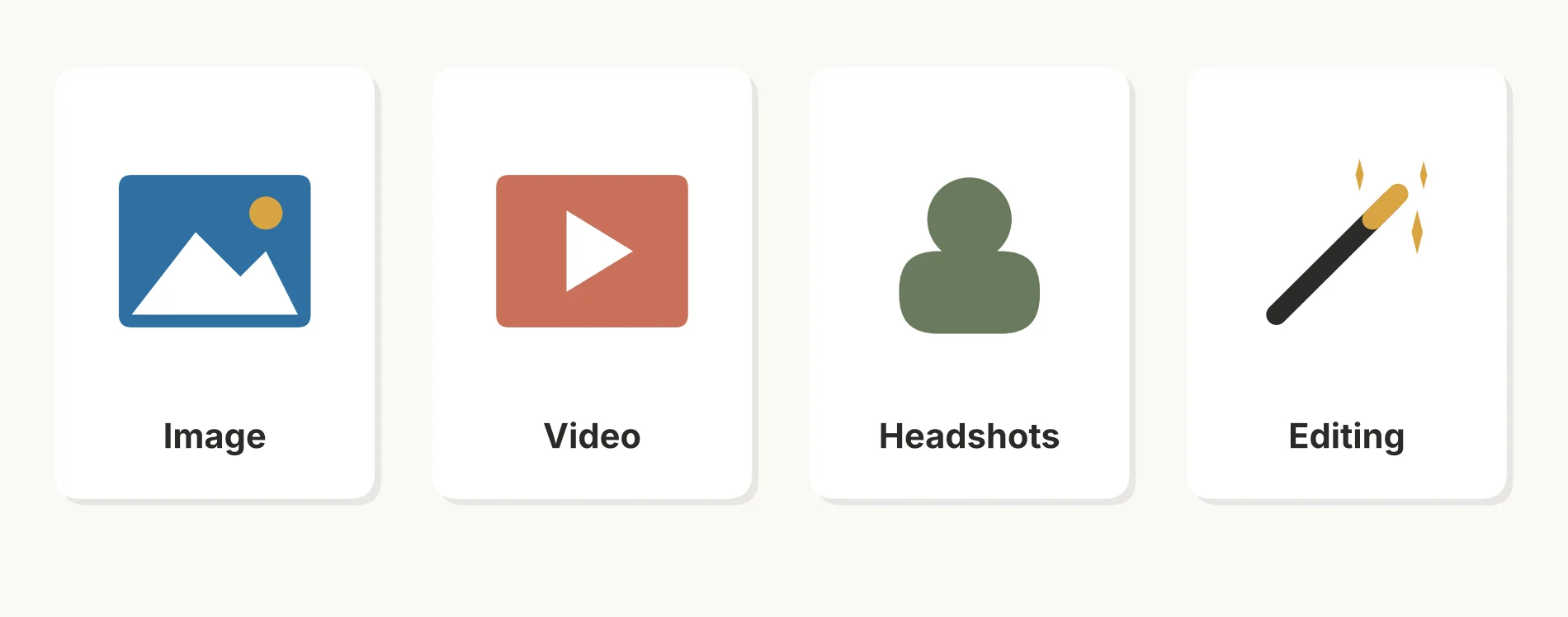 Hotpot's four tool groups, all paid from one credit balance.
Its homepage groups the tools into four parts:
AI Image: an image generator, an art generator, AI characters, AI logos and AI anime
AI Video: a video generator for text-to-video and image-to-video
AI Headshots: corporate, lifestyle, glamour, real estate, Halloween and fantasy portraits
AI Editing: an AI editor, photo upscaler, colorizer, photo restorer and background remover
How does Hotpot AI work? You pick a tool, upload a photo or type a prompt, choose your settings, and Hotpot shows the credit cost before you create. Then it takes those credits from your balance.
One thing older reviews still get wrong: Hotpot's homepage no longer shows the templates, the AI writer called Sparkwriter, or the game tools those reviews describe. I would not count on finding them.
Which AI models power Hotpot? It does not say. Its machine learning credits page thanks Stability.ai and several research projects, but it never names the model behind each tool.
Is Hotpot AI Free?
Partly. I found you can create some things for free, but anything serious needs credits.
Hotpot's commercial use page talks about "free creations," so free use still exists. But its site no longer states a daily limit. Older reviews quoted 75 free images a day with a watermark, so treat that number as unconfirmed.
Two limits are clear in Hotpot's own pages:
Video is never free. Its video page says "Creating videos requires an account and credits."
Free images are not for business. Free creations do not come with commercial rights, unless you pay to license them later.
So is Hotpot AI free to use? I would say yes for trying the tools and personal fun. For anything you plan to sell or publish for a client, no.
Hotpot AI Pricing: What Credits Really Cost
Hotpot AI pricing is built on credit packs. Here are the prices on its live pricing page in October 2026:
Credits | Price | Price per 1,000 credits |
|---|---|---|
1,000 | $12 | $12 |
2,500 | $30 | $12 |
5,000 | $60 | $12 |
10,000 | $120 | $12 |
20,000 | $240 | $12 |
Notice something? The price per credit is the same in every pack. Buying 20,000 credits saves you nothing over buying 1,000.
The only way to pay less per credit is a subscription. The pricing page says monthly billing will "Save 17%" and yearly billing will "Save 25%."
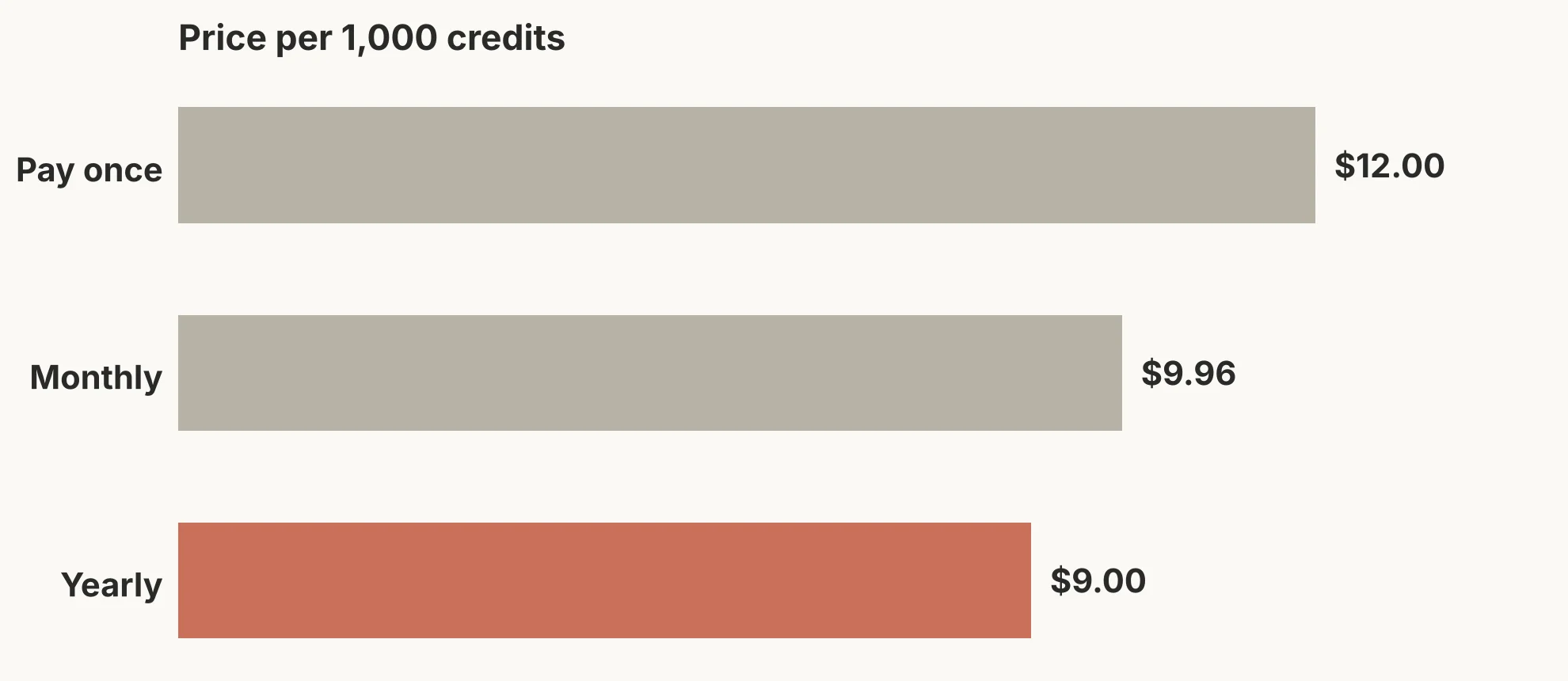 The yearly plan makes credits about 25% cheaper.
I worked out what that means per 1,000 credits:
Pay once: $12.00
Monthly: about $9.96
Yearly: about $9.00
Turning Credits Into Dollars
Hotpot says "Credit costs vary by tool and settings," and it shows the cost inside each tool before you create. It does not publish a full list.
So here is the simple rule I use. At the pay-once rate, one credit costs 1.2 cents.
Credits a task uses | What it costs you |
|---|---|
10 | about $0.12 |
50 | about $0.60 |
100 | $1.20 |
500 | $6.00 |
When the editor shows you a credit cost, check it against this table. That tells you in dollars what each click really costs.
The Two-Term Rule
This is the part I would read twice. Hotpot's full terms say "Subscription users are required to pay for at least two terms."
Its payment FAQ adds that monthly plans need a minimum of two terms, and yearly plans can be cancelled after one term. So a monthly plan is really a two-month commitment.
What Hotpot AI Can Do
Here are the tools I think matter most, and what each one is good for.
Hotpot AI Art Generator
The Hotpot AI art generator does text-to-image generation in several art styles. Its page shows art and illustration, imagined worlds, 3D and isometric, and watercolor.
Under the same AI Image group you also get AI characters, fantasy characters, AI logos and an anime style. You type a prompt, choose a style and a quality setting, then generate.
My view from everything I read: this is fine for social posts, ideas and fun. The 2026 reviews I checked rank its art below Midjourney, and one also below Leonardo AI, especially for hands, text in images and busy scenes.
Hotpot AI Video Generator
This is the newest tool, and the one most reviews miss. The Hotpot AI video generator works two ways:
Text-to-video: describe a scene and the movement you want.
Image-to-video: upload a photo, illustration or character and animate it.
Clips are 4, 6 or 8 seconds long, in portrait or landscape. Each new version you make costs credits again, so changing your prompt five times means paying five times.
Hotpot AI Headshots
Hotpot AI headshots are made from one clear photo of your face. You then pick a collection, such as corporate, lifestyle, glamour, real estate, Halloween or fantasy heroes.
The fantasy collections promise twenty action portraits per style from that one photo. The Halloween costume and photo generators are the most seasonal ones right now.
There is one good privacy point here. Hotpot's full terms say it does not use your source photos or generated portraits from headshot packs to train AI.
Are Hotpot AI headshots good enough for LinkedIn? I could not test that myself.
The reviews I read were mixed, and one Trustpilot reviewer said only one or two of 60 images were usable. I would only use them for a casual profile picture, not a professional one, until you have seen your own results.
Photo Restorer, Colorizer, Upscaler and Background Remover
This is where I think Hotpot is strongest. The AI Editing group covers:
Photo restorer: fixes scratches and damage on old pictures
Photo colorizer: turns black and white photos into color
Photo upscaler: makes small images bigger with more detail
Background remover: cuts out the subject for a transparent background
AI editor: edit a photo by describing the change in words
The 2026 reviews I read kept naming photo restoration and background removal as Hotpot's strongest tools. For a box of old family photos, this is the part I would pay for.
Is Hotpot AI Safe? The Refund, Rights and Photo Rules
Is Hotpot AI safe and legit? It is a real company with working tools. But three rules in the fine print matter before you pay.
1. No refunds on AI services. The full terms say plainly that "AI services are not refundable." The only exception mentioned is a pricing error. So buy a small pack first.
2. You get a license, not ownership. Hotpot's commercial use page says images made with credits "include a license." But it adds that these licenses "do not constitute copyright or any form of intellectual property." Hotpot also says it may add invisible watermarks to its images.
The full terms put it even more clearly: "Each purchase constitutes a grant of a license, not a transfer of title." So you can use the images, but you never own them outright.
There are two more limits I would note. You cannot use Hotpot content to build a competing service. And the terms say users are "strictly prohibited" from using Hotpot to train or improve competing AI models.
3. Your uploads may be used to improve the service. The terms reserve the right to use user data and graphics to improve Hotpot. Headshot packs are the exception, as I mentioned above.
On privacy, Hotpot's policy says your data may be processed in the United States. It also uses Ezoic, an advertising partner, which can collect your IP address and device details for ads. When you ask for portrait ideas, your description goes to Google's Gemini API.
You can ask for your data to be deleted by emailing info@hotpot.ai.
Then there is trust and customer support. Hotpot's Trustpilot profile is unclaimed and shows a 2.1 TrustScore from just 9 reviews. The complaints focus on hard cancellations, missing orders and refunds.
That is a small sample. But it lines up with the no-refund rule, so I take it seriously. I saw a similar short refund window when I wrote our ChatGOT review, and it is a common pattern with cheap AI tools.
Hotpot AI Alternatives
Hotpot does many small jobs, so the best Hotpot AI alternatives depend on which job you need. I would match them like this:
If you mostly need | Look at |
|---|---|
Better AI art | Midjourney or Leonardo AI |
Images that are safer for business use | Adobe Firefly |
Design plus background removal | Canva |
Just background removal | |
Photo restoring and enhancing | Remini |
Professional AI headshots | Aragon AI or HeadshotPro |
Longer or more polished AI video | Runway |
Hotpot vs Canva comes down to this: Canva is a full design tool with some AI, while Hotpot is a set of AI tools with no real design editor.
Hotpot vs Leonardo AI is closer, since both use credits, but Leonardo is built mainly for art quality.
I have not listed prices here because they change often. Check each one before you switch.
Frequently Asked Questions
What is Hotpot AI?
Hotpot AI is a set of browser-based AI tools for images, video, headshots and photo editing, run by Panabee, LLC. All tools are paid from one credit balance.
Is Hotpot AI worth it?
It is worth it for photo restoring, background removal and fun portraits on a small budget. It is not worth it for top-quality AI art, or if you need a refund option.
How much does Hotpot AI cost?
Credit packs start at $12 for 1,000 credits and go up to $240 for 20,000. Subscriptions cut the price by about 17% monthly or 25% yearly.
How many credits does each Hotpot AI tool use?
Hotpot does not publish a full list. It says costs vary by tool and settings, and it shows the cost inside each tool before you create. At the pay-once rate, each credit costs 1.2 cents.
Do Hotpot AI credits expire?
Hotpot's pricing page, help page and full terms do not say. I would ask support before buying a large pack.
Can I use Hotpot AI images commercially?
Yes, if you made them with credits or bought a license. Free creations do not include commercial rights. Even then, Hotpot gives you a license, not copyright.
How do I cancel a Hotpot AI subscription?
You can cancel, but not right away. Monthly plans need at least two terms, and yearly plans can be cancelled after one term. Payments already made are not refunded for AI services.
Is Hotpot AI safe to upload photos to?
For headshot packs, Hotpot says it does not use your photos to train AI. For other tools, its terms allow it to use uploads to improve the service. I would avoid uploading private or sensitive photos.
Before You Buy Your First Credit Pack
Here is the short checklist I would follow:
Try the free tools first to see if the output quality suits you.
Buy the 1,000-credit pack, since bigger packs cost the same per credit and refunds are not offered.
Check the credit cost in each tool before you click create, and convert it with the 1.2-cent rule.
Pick a subscription only if you will use it for at least two terms, since that is the minimum.
Keep business images to credit-made ones, so they come with a license.
Used this way, Hotpot AI is good value for money as a cheap and handy toolbox. Just go in knowing the money does not come back.