OpenClaw Channels: Which Ones Take Minutes and Which Take a Project
Start with Telegram. It is the fastest channel to connect, it supports more features than most of the alternatives, and you can have it working in about ten minutes with a bot token.
Then decide whether you actually need the others, because OpenClaw channels vary enormously in both effort and capability, and almost nothing written about them says so.
I went through the official channel documentation expecting a list of six. There are roughly twenty.
It Is Not Six Channels, It Is About Twenty
The ones I see asked about are WhatsApp, Telegram, Slack, Discord, Signal and iMessage. Those are the headline six.
The official channel list is considerably longer. Microsoft Teams, Google Chat, Matrix, Mattermost, Feishu, LINE, Zalo and Zalo Personal all have channel support, most as official plugins. There is a voice call channel that works through Plivo, Telnyx or Twilio. There is an A2A channel for connecting other agents over JSON-RPC.
I mention that not because you should use them, but because the docs are worth checking before you assume your platform is unsupported. Mattermost, for instance, works but requires a plugin.
OpenClaw Channels Come in Three Effort Tiers
This is the distinction I wish someone had drawn for me before I started reading.
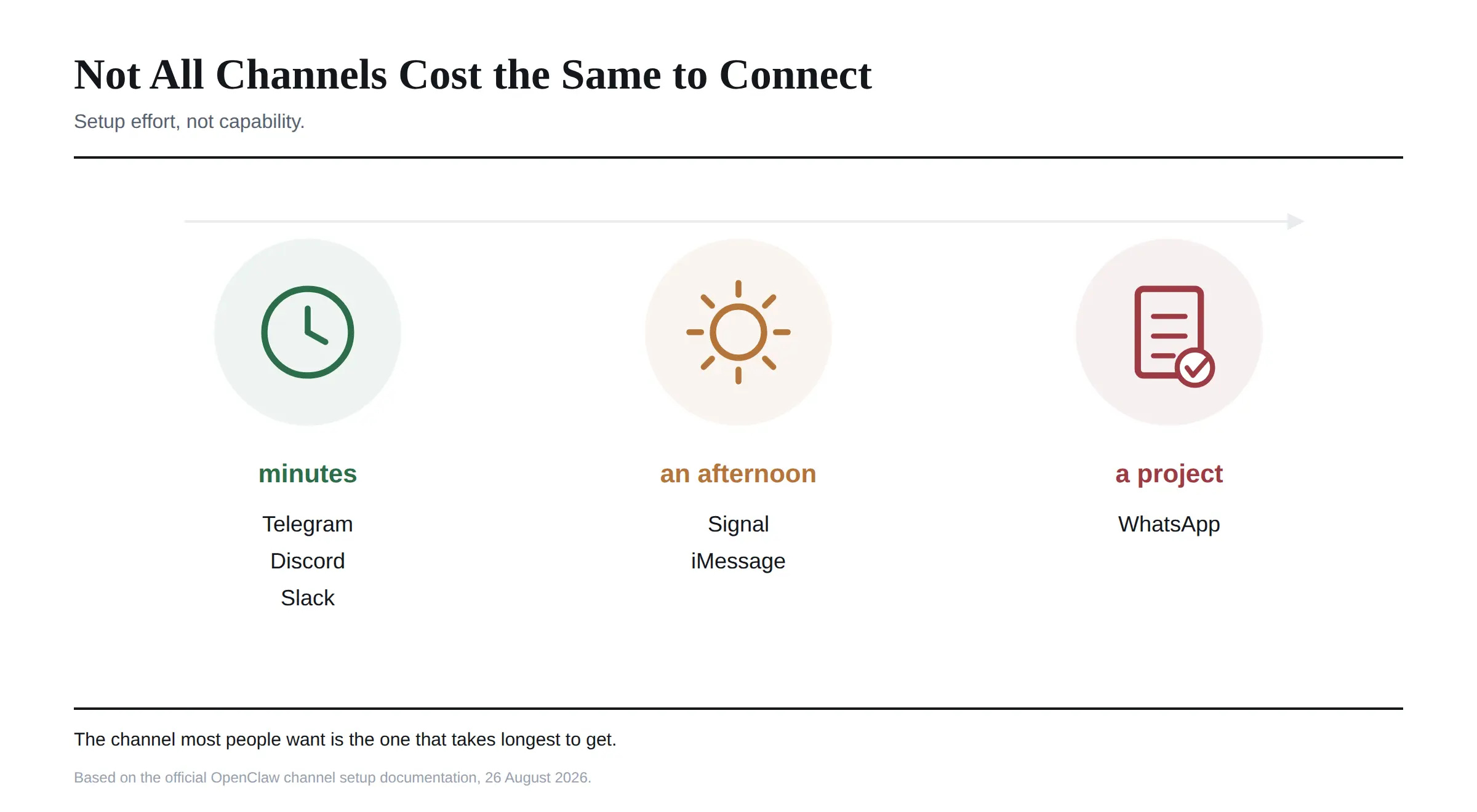 Minutes. Telegram and Discord are bot token channels. You create a bot on the platform, paste a token into your config, and you are done. Slack sits close behind, needing an app and a few scopes. If you want to be talking to your assistant tonight, pick one of these.
An afternoon. Signal needs signal-cli installed and a phone number either registered or linked to the setup. iMessage works natively on macOS but is macOS only, and it has no official API from Apple, which means the integration is inherently less stable than a documented one.
A project. WhatsApp is the outlier. Connecting it means going through Meta's WhatsApp Business API, which involves business account verification, webhook configuration and template message approval. That is not an evening, and it is worth knowing before you pick WhatsApp because it is the app you already use.
The irony is that WhatsApp is the channel most people want and the hardest one to get.
They Do Not All Do the Same Things
Effort is only half of it. Once connected, channels differ in what they can actually carry, and this surprised me more than the setup gap.
Polls work on WhatsApp, Telegram, Discord, Matrix and Microsoft Teams. They do not work on Slack, Signal or iMessage.
Telegram has inline buttons, though they need enabling in the channel capabilities before OpenClaw will use them. It also supports forum topic threading, and it can force images through as documents to dodge its own compression.
Slack supports threading through a thread timestamp. WhatsApp has a GIF playback flag. iMessage, through the native integration, reaches further than you might expect, with support for replies, tapbacks, effects, polls, attachments and group management.
The practical consequence is that a workflow you build on Telegram may quietly lose features if you move it to Signal. I would check the capability list before committing to a channel for anything beyond conversation.
The Formatting Trap
This one catches people and it is not documented loudly enough.
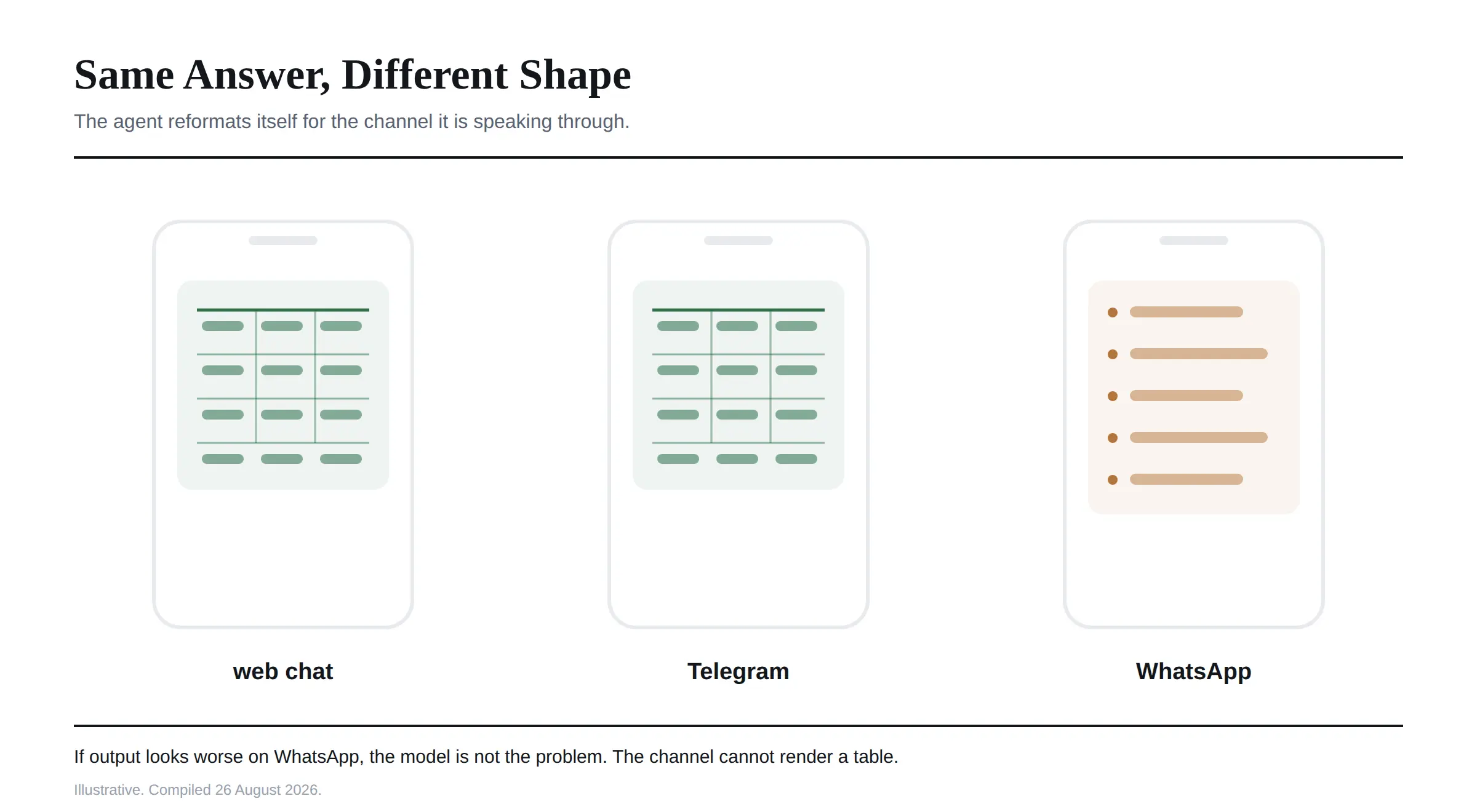 I found the same response renders differently depending on where it lands. Markdown tables work in web chat and Telegram but not in WhatsApp. Code blocks render in Telegram, Discord and Slack, but not in SMS style channels.
OpenClaw's adapters handle most of this automatically, and the agent adapts its response format to the channel. Ask for a report in WhatsApp and you get a bulleted list. Ask for the same thing in web chat and you get a rendered table.
That is sensible behaviour, and it means you should not judge output quality by the channel you happened to test in. If something looks worse on WhatsApp, the model is not the problem.
Groups Behave Differently From Direct Messages
Worth knowing before you add the assistant to a busy work channel.
I did not expect this one. Discord, LINE, Matrix, Slack and Telegram post a room-specific introduction when the bot joins an allowed group, rather than joining silently. It describes what the room appears to be for and names a few jobs it could take on. Introductions are on by default and can be turned off.
Slack multi-person direct messages route as group chats, so group policy, mention behaviour and group session rules all apply to them. That catches people who assume a three person DM behaves like a one to one.
Discord and Slack both support multiple users properly, with each person getting their own session context while sharing the same workspace data. For a team, that means several people can query the same thing from their own account without stepping on each other.
Sending Out, Not Just Receiving
Channels are two directional, and the outbound side has its own command worth knowing.
openclaw message is the single outbound command across every channel. If you have only one channel configured it becomes the default, and if you have several you specify which with --channel.
The part that takes a moment to absorb is that target syntax differs per platform. WhatsApp takes an E.164 phone number or a group JID. Telegram takes a chat id or an @username. Discord and Slack take channel:<id> or user:<id>. Signal accepts a phone number, a group id or a username. iMessage takes a handle or a chat identifier.
For Discord and Slack, you can also use plain channel names like #help and OpenClaw will resolve them through its directory cache, falling back to a live lookup. That is a nicer experience than hunting for ids, and I only found it buried in the command reference. Our OpenClaw commands guide covers the wider CLI if you want the rest of it.
Checking Whether a Channel Actually Works
Two things saved me time here.
openclaw channels status --probe tests your configured channels rather than just reporting what is in the config, which is the distinction I kept forgetting. If it reports nothing, check the Gateway is running first, since a channel cannot be live if the service behind it is not.
And with hot reload enabled, a running Gateway picks up new account configuration without a restart, which makes adding a second channel much less disruptive than it sounds.
Frequently Asked Questions
What channels does OpenClaw support?
WhatsApp, Telegram, Slack, Discord, Signal and iMessage are the common ones, alongside Microsoft Teams, Google Chat, Matrix, Mattermost, Feishu, LINE, Zalo, a voice call channel and others. Around twenty in total, most as official plugins.
Which OpenClaw channel is easiest to set up?
Telegram, followed by Discord. Both are bot token channels that take roughly ten minutes. Slack is close behind.
How do I connect OpenClaw to WhatsApp?
Through Meta's WhatsApp Business API, which requires business account verification, webhook configuration and template message approval. It is the most involved channel to connect, not the simplest.
Can OpenClaw use Signal?
Yes, through signal-cli with a phone number registered or linked. Signal is the most private option since messages are end to end encrypted, but setup is more involved than a bot token channel.
Does OpenClaw work with iMessage?
Yes, natively on macOS, with support for replies, tapbacks, effects, polls, attachments and group management. It is macOS only, and Apple provides no official API, so the integration is inherently less stable.
Can OpenClaw connect to multiple channels at once?
Yes. It can listen on many channels simultaneously, each acting as a separate entrance to the same assistant. Use --channel on outbound commands when more than one is configured.
Why does my OpenClaw response look different on WhatsApp?
Because channels support different formatting. Markdown tables render in web chat and Telegram but not WhatsApp, so the agent adapts and sends a bulleted list instead. The output is not worse, just reformatted.
Can a team share one OpenClaw instance through Slack or Discord?
Yes. Both support multiple users, and each person gets their own session context while sharing the same workspace data.
How do I check if my OpenClaw channel is connected?
Run openclaw channels status --probe, which tests the connection rather than reading the config. If nothing responds, confirm the Gateway is running.
Which One I Would Pick
If you are trying this for the first time, connect Telegram. Ten minutes, good feature support, and you will know within an hour whether the whole idea suits you.
If you want privacy above everything, Signal, and accept the extra setup.
If your team already lives in Slack or Discord, use that, because the multi-user session handling is genuinely good and nobody has to change habits.
And if you specifically want WhatsApp, start the Meta verification process early and connect something else in the meantime. It is the one channel where the paperwork, rather than the configuration, is the hard part.
The official channels documentation lists every supported platform with its own setup page, and I checked everything here against it on 26 August 2026. Channel support changes with releases, so confirm there before committing to a platform.