OpenClaw Commands: The 6 You Will Actually Use, and the 40 You Will Not
The one to remember: openclaw doctor. It checks the Gateway, channels, plugins, skills, model routing, local state and config migrations, then offers to fix what it finds. When something is broken and you do not know why, start there.
The OpenClaw CLI is enormous. The official command tree lists more than forty top level commands, and that is before plugins add their own.
I went through the whole thing. The useful finding is that the size is misleading, because almost all of it is surface area you will never touch. A small handful of OpenClaw commands cover nearly everything you do day to day.
The Shape of It
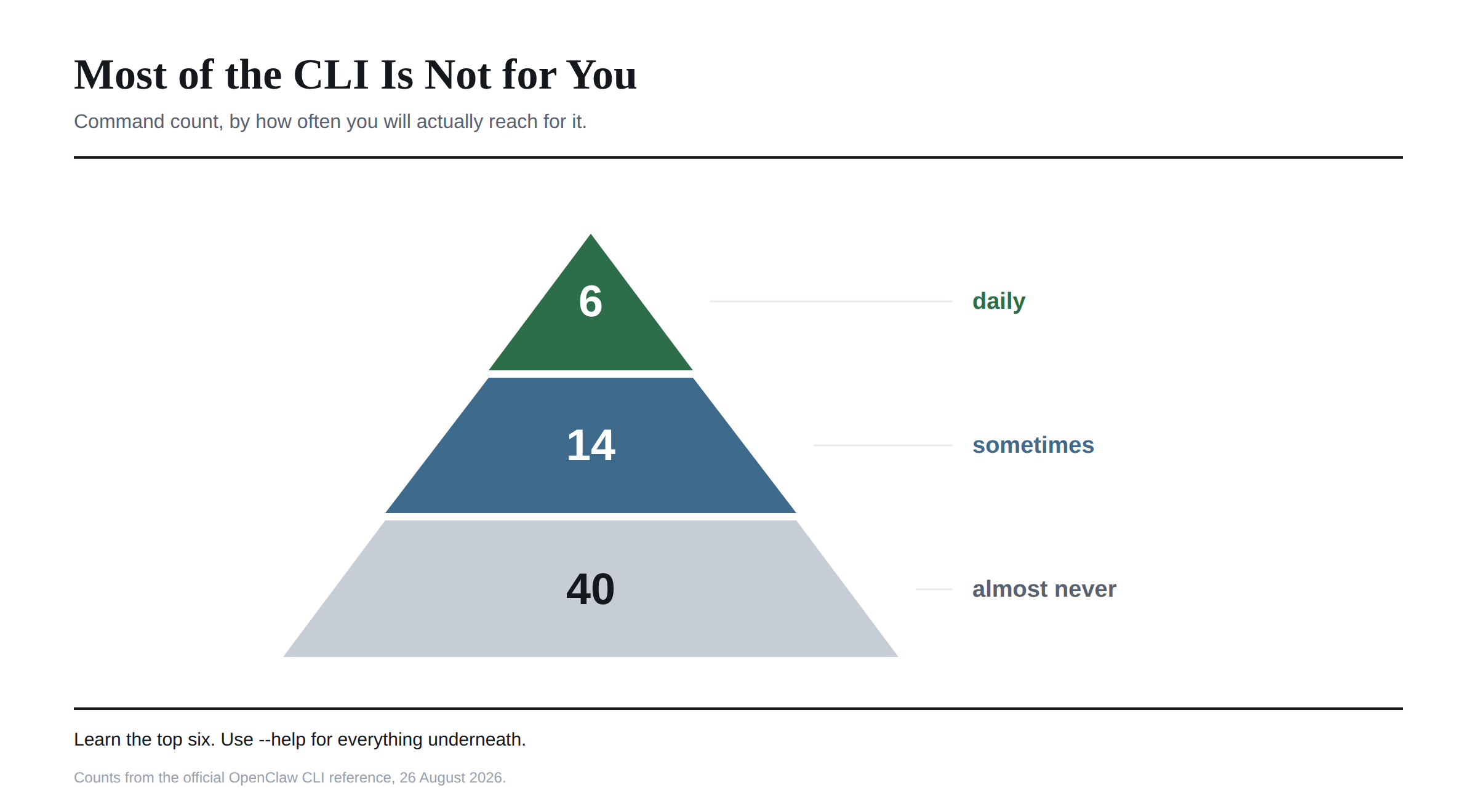 I found six commands cover ordinary use. Another dozen or so come out when you are configuring something or debugging. The rest exist for automation, plugin authors, fleet operators and edge cases, and I would not try to learn them in advance.
The Six OpenClaw Commands Worth Memorising
openclaw doctor runs health checks and offers fixes. Your first move whenever something misbehaves.
openclaw status reports session health and recipients. Quick answer to "is this thing alive".
openclaw gateway status checks the Gateway service specifically, which is different from status and matters because the CLI can be fine while the Gateway is not running.
openclaw dashboard opens the Control UI in a browser.
openclaw logs tails the Gateway logs. When doctor says something is wrong but not why, this is where the why lives.
openclaw models status probes each configured model and reports whether the credentials still work. I find this one saves the most time in practice, because an expired API key produces confusing failures everywhere else.
That is the whole daily set. If you learn nothing else, those six cover it.
The Three Setup Commands Everyone Confuses
This is the part of the CLI I would expect to trip people up, and the official docs disambiguate them explicitly, which tells me they get asked about it.
openclaw setup and openclaw onboard both verify inference first, then walk you through Gateway, workspace, channels, skills and health. They are the full guided path.
openclaw setup --baseline creates the baseline config and workspace without the guided flow. Use this when you know what you are doing and want the scaffolding without the wizard.
openclaw configure changes targeted parts of an existing setup. Model auth, gateway, channels, plugins or skills. This is the one to reach for when you are already running and want to change one thing.
The short version: onboard for a fresh install, configure for everything afterwards. I would not run onboard again on a working setup expecting it to only change one setting.
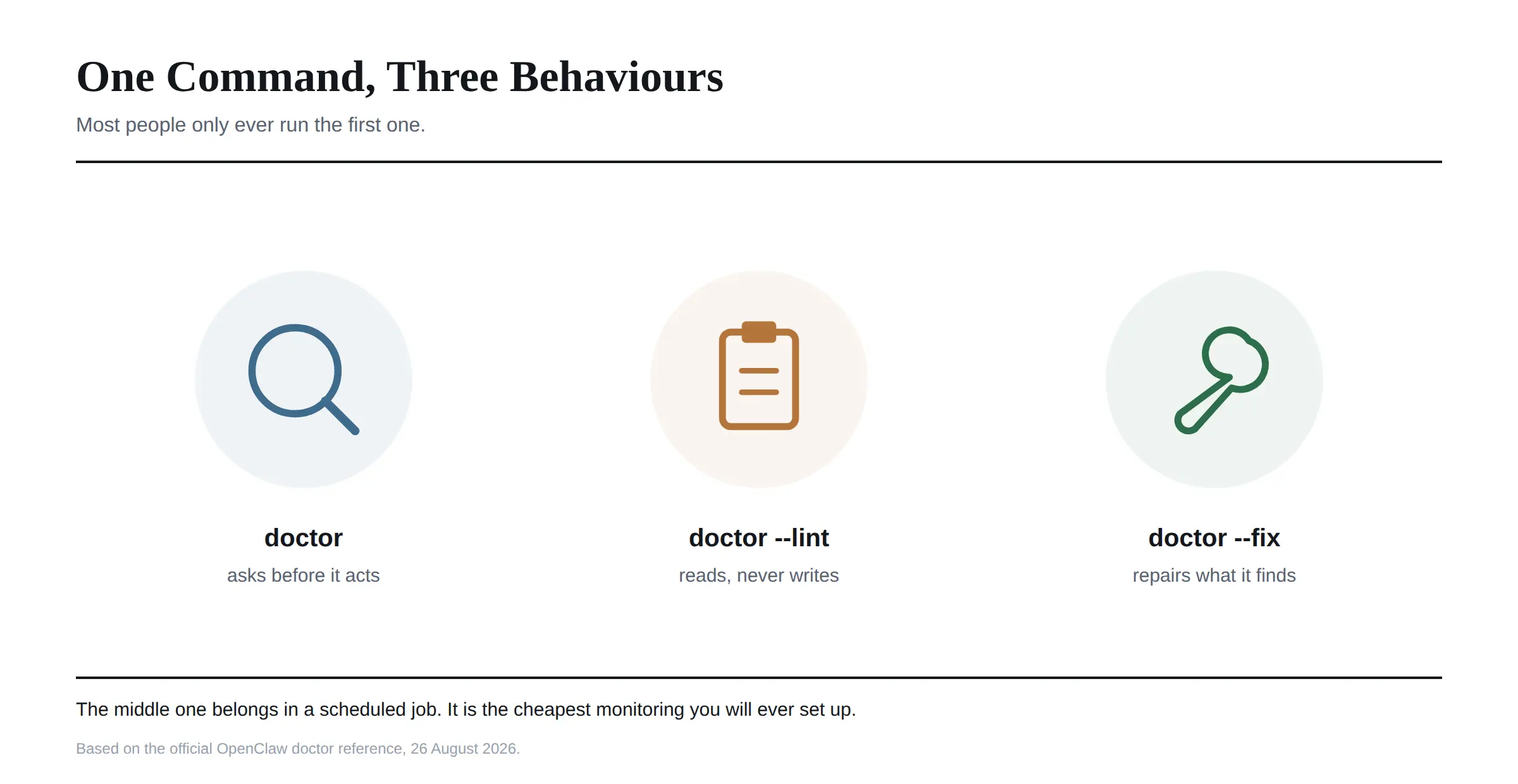
Doctor Has Three Modes, and Most People Only Know One
I gave this its own section because the other two modes are genuinely useful and barely documented outside the official reference.
 Plain
Plain openclaw doctor is the interactive mode. Human readable checks with guided prompts offering to fix things.
openclaw doctor --lint is the read-only automation mode. It runs the same structured checks, never prompts, and never repairs or rewrites anything. This is the one for CI pipelines and preflight scripts.
The lint mode has its own flags: --json for machine readable output, --severity-min warning to filter noise, plus --all, --only and --skip for scoping. One quirk worth knowing is that those flags are only accepted alongside --lint, so they will not work on a plain doctor run.
openclaw doctor --fix applies repairs, with --non-interactive available for scripts.
There is also --deep for more thorough checking, --post-upgrade for running after a version bump, and --generate-gateway-token when you need a fresh token.
If you run OpenClaw anywhere that matters, putting openclaw doctor --lint --json into a scheduled job is the cheapest monitoring you will ever set up.
The Global Flags That Change Everything
These sit before the command rather than after it, and they are the most underused part of the CLI.
--profile <name> isolates state under ~/.openclaw-<name>, giving you a completely separate instance with its own config and its own Gateway. This is how you run a personal setup and a work setup on the same machine without them touching each other. I would call this the most valuable flag in the whole tool.
--dev does something similar, isolating state under ~/.openclaw-dev and moving the Gateway to port 19001 so it does not collide with your real one.
--container <name> runs the CLI inside a running Podman or Docker container, which is useful if you have followed the isolation advice and your Gateway lives in a container rather than on your host.
--log-level overrides logging verbosity, --no-color strips ANSI output, and -V prints the version.
One syntax note that catches people out. Command specific options go after the command, as in openclaw status --json, while global flags can come before it. And -- stops option parsing entirely, so openclaw -- config get gateway.port still dispatches the command but treats anything that follows as a positional argument.
If You Are Scripting Against It
OpenClaw has a proper contract for machine readable output, which I did not expect and which makes automation much less painful.
Adding --json to a reporting command reserves stdout for a single JSON document. Styling and progress output are suppressed, and warnings and diagnostics are pushed to stderr so they do not corrupt the payload.
Failures follow a consistent envelope. The command exits nonzero and writes one JSON document containing ok: false and an error object with a type and message.
The detail worth acting on: your scripts should parse stdout and still check the exit status, because human readable diagnostics may also appear on stderr. Checking only one of the two will eventually bite you.
Note that interactive wizards, long running servers and pure side effect commands may not offer --json at all, since they have no meaningful report to return.
Aliases and Old Names
A few commands answer to more than one name, which caught me out reading older guides.
openclaw chat and openclaw terminal are both aliases for openclaw tui --local.
openclaw cron also answers to automations, and openclaw capability is an alias for openclaw infer.
openclaw daemon is a legacy alias for the Gateway service commands, and clawbot is a legacy namespace. Both still work. When I see either in a tutorial, I treat it as a hint the tutorial predates the current naming.
Everything Else, Briefly
I found the rest easier to remember as categories than as individual names.
Messaging and agents: message, agent, agents, attach. Sessions and history: sessions, resume, transcripts, audit. Channels and pairing: channels, pairing, qr, devices. Extensions: skills, plugins, hooks, webhooks. Models and inference: models, infer, memory. Automation: cron, tasks. Fleet and nodes: fleet, nodes, node, worker, connect. Safety and state: approvals, sandbox, security, secrets, backup, migrate, reset.
I would not learn these. openclaw <command> --help is authoritative and current, which a list in an article can never be. Several of them read and write the settings covered in our OpenClaw configuration guide, which is worth having open alongside.
Frequently Asked Questions
What are the most useful OpenClaw commands?
doctor for health checks, status and gateway status for whether things are running, dashboard to open the Control UI, logs for diagnosis, and models status to confirm your API credentials still work.
How do I see all OpenClaw commands?
Run openclaw --help for the top level list and openclaw <command> --help for any subcommand. That is always current, unlike any published reference.
What is the difference between openclaw setup, onboard and configure?
setup and onboard are the full guided first run. setup --baseline creates config and workspace without the wizard. configure changes targeted parts of a setup that already exists.
How do I check if OpenClaw is working?
Start with openclaw doctor. It covers Gateway, channels, plugins, skills, model routing and config in one pass and offers fixes for what it finds.
How do I run two OpenClaw instances on one machine?
Use the --profile <name> global flag, which isolates state under ~/.openclaw-<name> with its own config and Gateway. The --dev flag does the same thing on a dedicated dev profile and port.
Can I use OpenClaw commands in scripts?
Yes. Add --json to reporting commands for a single JSON document on stdout. Parse stdout and check the exit status, since failures exit nonzero with an ok: false envelope while diagnostics go to stderr.
How do I check my OpenClaw logs?
openclaw logs tails the Gateway logs. Use it after doctor tells you something is wrong but not why.
What does openclaw doctor --lint do?
It runs the same health checks in read-only mode, without prompting or repairing anything. Built for CI and preflight scripts, and it supports --json and --severity-min for filtering.
Why does openclaw command not found appear?
The CLI is installed but not on your PATH, usually because the npm global bin directory is not included. That is an install problem rather than a command problem.
How I Would Learn This
Do not read the command tree. It is forty commands deep and you will retain none of it.
Learn the six above, put openclaw doctor at the front of your muscle memory, and use --help for everything else at the moment you need it.
The commands here all assume a working install and a configured Gateway.
I checked everything here against the official CLI reference on 26 August 2026. Plugins add their own subcommands and the tree changes between releases, so treat --help as the source of truth over any article, this one included.