Spot AI Review 2026: The Box, the Bill, and the Faces in the Footage
What it is, in a line: Spot AI is a video intelligence platform that plugs into the security cameras a business already has and makes the footage searchable, so instead of scrubbing through hours of video you can ask for a person, a vehicle or an event and get the clips back in seconds.
It pairs an on-site recorder with a cloud dashboard. It works with most existing IP and analog cameras. And it is priced per camera, with the figure quoted almost everywhere being around 99 dollars per camera per month.
That is where most Spot AI reviews stop.
I think the more useful way to look at it is as three separate things you are buying: a box on your wall, a monthly bill, and a lot of footage full of people's faces.
The third one is the part nobody else writes about. It is also the one most likely to cause a business trouble.
Who Spot AI Is Actually For
Before the detail, it helps to be clear about the buyer, because Spot AI is not a consumer product.
The directory listings describe it as built for manufacturers, warehouses, car washes, schools, government buildings, healthcare facilities and retail stores. In practice that means a business with somewhere between a handful and a few hundred cameras, often across several sites, where somebody currently spends too long finding footage after an incident.
If you run a single shop with four cameras and rarely look at the recordings, I would say Spot AI is more than you need. If you run twelve warehouses and your operations team spends a morning every week hunting for video of a forklift near miss, it starts to make a lot of sense.
Thing One: The Box on Your Wall
The hardware is the part people underestimate, and it is also the part that keeps the cost down.
At the centre of a Spot AI install is the IVR, the Intelligent Video Recorder. It sits on site, connects to your existing cameras, does the AI processing locally, and syncs with the cloud dashboard for search, alerts and remote access.
One IVR can replace several older recorders. When you add cameras, the system spreads the load across every IVR on the network.
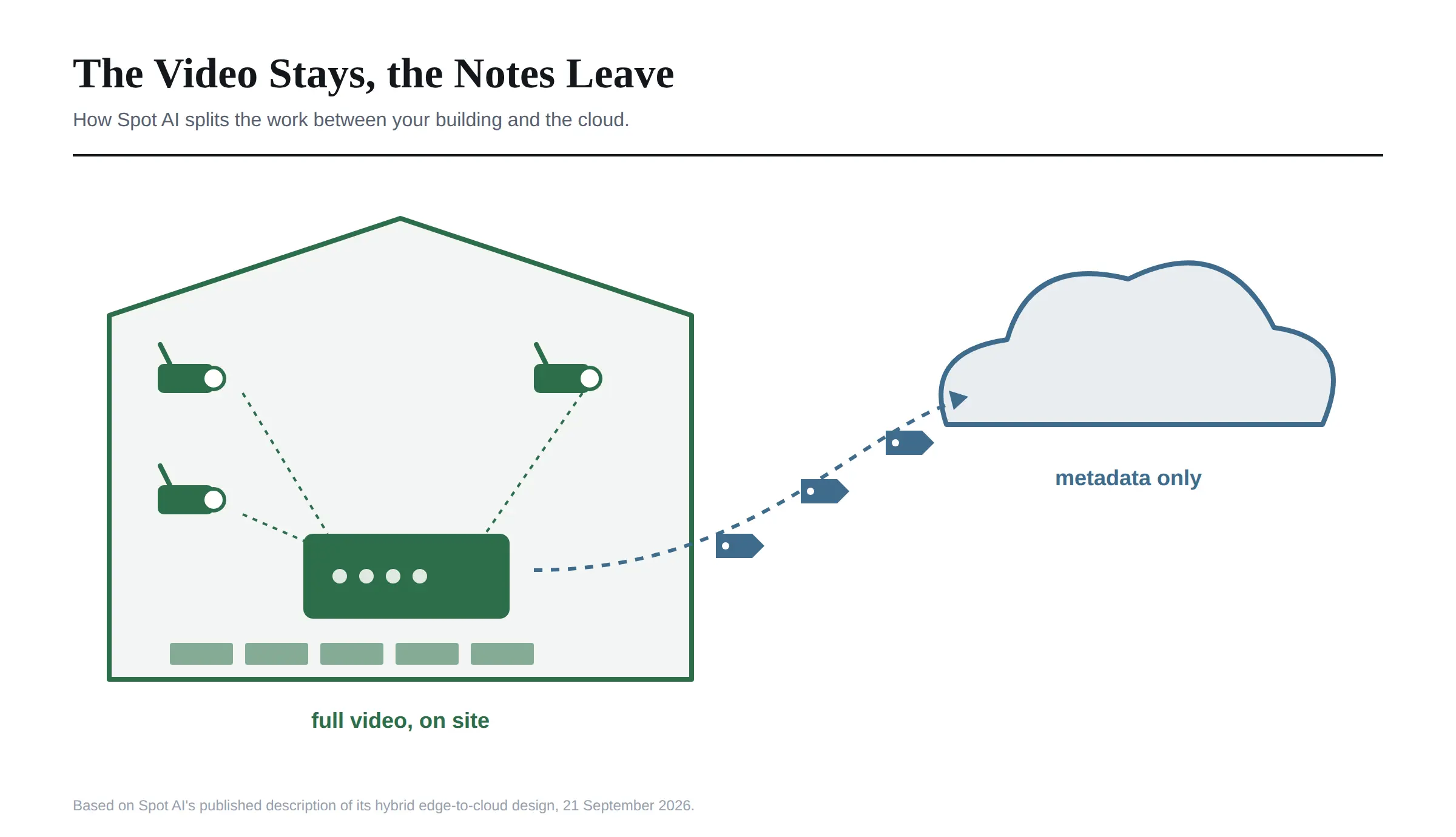 The design choice that matters most is where the video actually lives. Spot AI says its hybrid setup keeps full resolution video inside the facility and sends only metadata across the network to the cloud. In plain terms, the recordings stay in your building, and what goes up is a description of what happened in them.
I think that is a genuinely good design for two reasons. It keeps bandwidth low, which matters on sites with weak connections. And it means the most sensitive thing, the raw video, is not sitting on someone else's servers by default.
The other big point is compatibility. Spot AI says it works with existing IP and analog cameras, including brands like Avigilon, Pelco, Axis and Hanwha and any ONVIF device. For a business with forty working cameras on the wall, that is the difference between buying a platform and buying a platform plus forty new cameras.
Local storage is typically offered at 30, 60 or 90 days, according to directory listings, with the option to keep important clips in the cloud for longer. I would check the exact retention options on your own quote, because retention is one of the things that moves the price.
Thing Two: The Monthly Bill
This is the part every other review focuses on, so I will be quick and precise.
Spot AI does not publish a price.
Its own pricing page lists two tiers. A Core Experience covers the working AI camera system, and a Pro Experience adds more insight and management features for scaling operations. It offers a free trial, mentions volume and term length discounts, and sends everyone else to a sales representative for a custom quote.
The figure you will see quoted everywhere is roughly 99 dollars per camera per month. It is a reference number from third party guides and sales conversations, not a rate card.
One pricing guide says outright that Spot AI publishes no official rate, and labels the 99 dollar figure a market estimate. I would treat it as a budgeting starting point and nothing more.
Here is a conflict I could not resolve. The guides disagree about what that 99 dollars covers.
One, written by a Spot AI installer, describes the platform as software first, with the subscription covering the software while you keep your existing cameras. Another describes the fee as a bundle that includes cameras, the on-site recorder, software and support, partly paying off the hardware over the contract.
Those are very different deals. The only way to know which one you are being offered is to ask for the quote split into hardware, software and support lines.
To put the reference rate in perspective, a single site with 12 cameras at 99 dollars comes to 1,188 dollars per camera per year, or about 14,256 dollars a year for the site.
Over a three year term that is roughly 42,768 dollars before installation. Installation is usually quoted separately and varies widely with cabling and site complexity.
You will also see a 2,199 dollar figure on some software directories, described as a starting price. Every source I checked treats that as an old hardware list price from years ago. I would not budget against it.
Spot AI's terms do mention free tier customers who receive part of the service at no cost, alongside the free trial. For a real deployment protecting a real building, though, this is a paid product, and the free options are for testing.
Thing Three: The Footage, and the Faces in It
This is the section I think matters most, and I could not find it covered in any of the reviews ranking for Spot AI.
Spot AI's search tools come in two kinds. Attribute search finds people or vehicles by visible features such as upper body colour, lower body colour, vehicle colour, make or body style. That is description based and does not identify anyone.
People search is different. Spot AI's own announcement says it combines facial and appearance features to locate or track a specific individual across multiple cameras, starting from a reference image you upload or select. The feature title literally says people search with faces.
That is a useful tool. It lets a security team confirm when someone entered and left, check repeat visits, or trace a person's path through a building in minutes rather than hours.
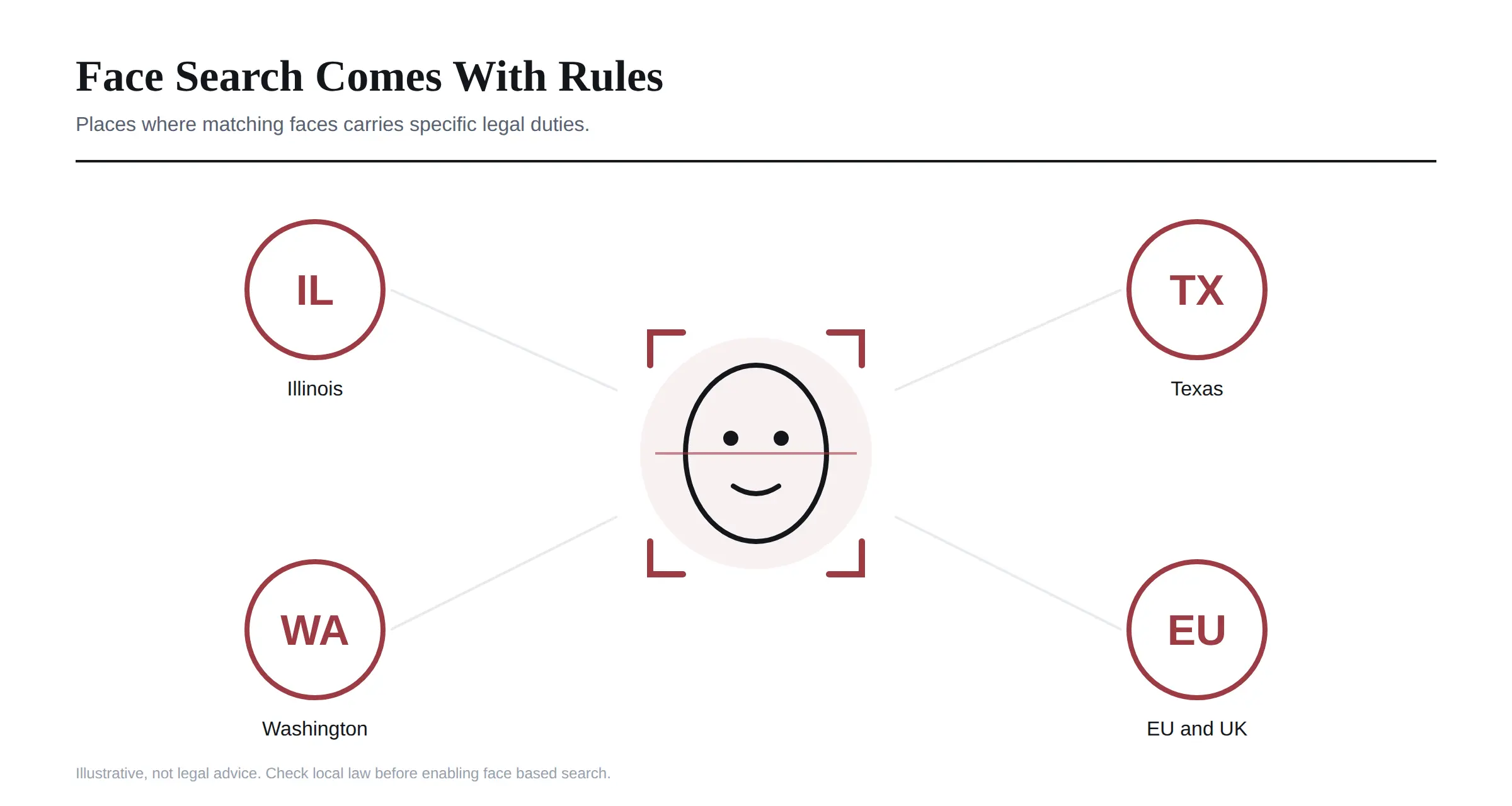
It is also facial analysis of everyone who walks past your cameras, and in several places the law treats that as biometric data.
 I am not a lawyer, and this is not legal advice. But here is what I would want any buyer to know before switching people search on.
Illinois has the Biometric Information Privacy Act, which covers face geometry and generally requires written notice and consent before a private business collects it. It also lets individuals sue, which is why BIPA cases have produced some very large settlements.
Texas has its own biometric identifier law requiring notice and consent before biometric identifiers are captured for commercial purposes.
Washington has a biometric law too, though it is generally read as more lenient on security uses.
The EU and UK treat biometric data used to identify someone as a special category under GDPR, which needs a specific lawful basis and usually a data protection impact assessment.
None of this means Spot AI is illegal or that people search is wrong. Plenty of businesses use face based search lawfully. It means the feature carries obligations that attribute search does not, and those obligations land on you as the operator, not on Spot AI.
What I could not find in Spot AI's public material is whether face based matching can be switched off per site, how long face data is kept, or what notice and consent tools the platform provides.
I would ask all three before signing, particularly if you have a site in Illinois.
I ran into the same consent problem writing about Pykaso and AI face swapping. The lesson carries over: the tool does not decide whether you had permission.
What the AI Actually Does Day to Day
Past search, the features are what I would expect from a modern video platform, and most are genuinely useful.
Smart alerts send notifications when a defined person, attribute or event appears, so you respond to something as it happens rather than finding it the next morning.
Camera health monitoring tells you when a camera goes offline or its view changes. That sounds small until you realise how many businesses only discover a dead camera after the incident it should have recorded.
Vehicle search and idle time analysis help with loading docks, car washes and yards, where knowing how long a truck sat somewhere is an operations question rather than a security one.
Motion zones and annotations let teams mark areas of interest and leave notes on clips for each other.
Mobile apps for iOS and Android give access away from a desk.
Integrations listed in directories include Microsoft 365, Azure AD, Google Workspace, Brivo access control and Avigilon Alta, plus a REST API for anything custom.
The operations side is where I think Spot AI earns its keep. A lot of its marketing leans on security, but the recurring value for many buyers is safety and operations: spotting unsafe behaviour on a warehouse floor, checking queue lengths, or proving what happened in a dispute.
Spot AI Compared With Verkada, Rhombus, Avigilon and a Plain NVR
The useful comparison is not features, which have largely converged. It is the cost model and the camera question.
Spot AI is camera agnostic. You keep the cameras you have and add a recorder plus a per camera subscription.
Verkada bundles its software into a per camera licence and requires its own cameras. That means a single vendor system that is simple to manage, at a higher hardware cost and with more lock in.
Rhombus also sells its own cameras with annual licence tiers, so the same broad trade off applies.
Avigilon is interesting here because Spot AI lists an Avigilon Alta integration, so for some buyers the two can sit alongside each other rather than competing outright.
Eagle Eye Networks is the closest like for like, as another cloud managed platform that works with third party cameras. I would get quotes from both if camera reuse is your main reason for looking.
A traditional NVR stores video locally with no cloud layer. It is cheaper up front and has no monthly bill, but you give up remote search, automatic updates and the AI features that are the whole point of Spot AI. If you rarely review footage, a good NVR may honestly be enough.
Who Is Writing About Spot AI
One thing I noticed while researching, and I think readers deserve to know it.
Much of what ranks for Spot AI is written by people with a stake in the answer.
The most detailed pricing guide comes from a company that is an authorized Spot AI installer and, according to its own footer, also a Verkada partner. Another guide comes from a company selling a competing analytics product. And Spot AI's own blog publishes pricing breakdowns of its competitors.
None of that makes the information wrong, and I have used the useful parts. But it explains why the privacy question gets so little attention.
The Questions I Would Ask Before Signing
If I were buying Spot AI for a business, these are the questions I would put to the sales team in writing.
What exactly does the per camera fee include, and can you split the quote into hardware, software, installation and support?
Which of my existing cameras can the platform adopt, and which will need replacing?
What retention periods are available, and how does each one change the price?
Can face based people search be switched off per site, and how long is face data stored?
What notice and consent tools does the platform provide for sites in Illinois, Texas or the EU?
What happens to my footage and metadata if I end the contract?
And is the SOC 2 report available to review? Several listings describe Spot AI as SOC 2 and HIPAA compliant, but I would want to see the current report rather than rely on a directory line.
Frequently Asked Questions
What is Spot AI?
A video intelligence platform that adds AI search, alerts and analytics to business security cameras. It uses an on-site recorder called an IVR alongside a cloud dashboard, and works with most existing IP and analog cameras.
How much does Spot AI cost?
Spot AI does not publish a price. The widely quoted reference figure is about 99 dollars per camera per month, with the final quote depending on camera count, number of sites, storage length and contract term. Sources disagree on whether that figure includes hardware, so ask for an itemised quote.
Does Spot AI work with existing cameras?
Yes. Spot AI says it supports existing IP and analog cameras, including major brands and ONVIF devices, so most businesses can keep what they already have.
Does Spot AI use facial recognition?
Its people search combines facial and appearance features to find a specific person across cameras from a reference image, according to Spot AI's own announcement. Its attribute search works on clothing and vehicle features and does not identify faces.
Is Spot AI cloud or on premise?
Both. Video is recorded and processed on the on-site IVR, and Spot AI says full resolution footage stays in the building while only metadata goes to the cloud for search and management.
How long does Spot AI keep footage?
Directory listings describe local storage options of 30, 60 or 90 days, with important clips kept in the cloud for longer. Confirm the options on your quote, since retention affects price.
Is Spot AI better than Verkada?
It depends on your cameras. Spot AI lets you keep existing cameras, while Verkada requires its own hardware as part of a single vendor system. If you have working cameras, Spot AI usually means less upfront spend.
Can Spot AI replace my NVR?
Yes. The IVR takes the place of a traditional recorder and one unit can replace several older ones, while adding cloud search and AI features an NVR does not have.
Is Spot AI worth it for a small business?
For a small shop that rarely reviews footage, I would say probably not, since the per camera subscription adds up. For a business that regularly investigates incidents or runs several sites, the time saved on finding footage is usually the deciding factor.
Is there a Spot AI free trial?
Yes. Spot AI offers a free trial and its terms mention a limited free tier, but a real deployment is priced through a custom quote.
Where I Land on Spot AI
I think Spot AI is a well designed product with a sensible architecture. Keeping full video on site and sending only metadata up is the right call, and reusing existing cameras is a real saving that the hardware-locked alternatives cannot match.
The price is the price. It is not published, the reference figure is an estimate, and sources disagree about what it covers, so get everything itemised in writing.
The part I would take most seriously is the one nobody else raises.
People search with faces is powerful, and in some places it comes with legal obligations that fall on you, not the vendor. Decide deliberately whether you need it, find out whether you can switch it off, and talk to someone who knows your local law before you turn it on in Illinois or anywhere under GDPR.
Get those three things straight, the box, the bill and the faces, and Spot AI is an easy product to recommend to the right business.
I checked Spot AI's features and architecture against its own website, blog and terms, and against the major software directories, on 21 September 2026. Pricing is quote based and changes by deployment, so confirm every figure with Spot AI directly.