Jamie AI Review: The Bot-Free Note Taker, and What It Really Costs
Jamie AI is a German meeting note taker that records, transcribes and summarises your calls without ever joining them as a visible participant. It runs as a desktop app on your own machine, works for in person meetings as well as video calls, and keeps everything on EU servers.
Prices run from free up to 47 euros a month, and that range is wider than it looks because every site quotes different numbers.
I sorted that out, and the reconciliation turned up something genuinely odd about which plan is cheapest.
Before any of that, the thing everyone asks about first.
What Bot-Free Actually Means
Most AI note takers work by sending a bot into your call. You see it in the participant list, a little tile called Otter Notetaker or Fireflies.ai, and so does your client.
Jamie does not do that. It runs natively on macOS, Windows or iOS and captures the audio from your own device.
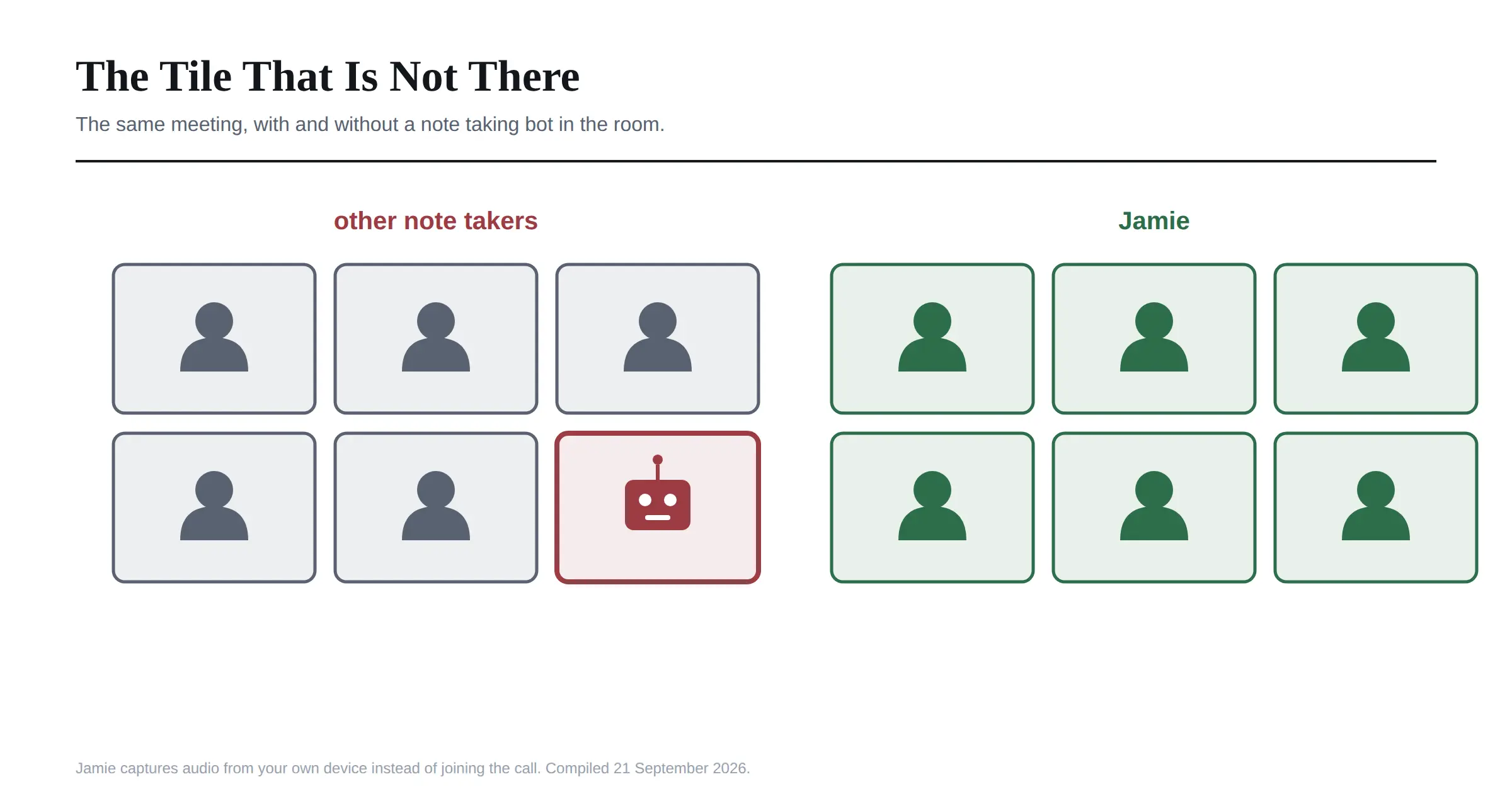 That has three practical consequences I think matter more than the marketing suggests.
It works on any platform, because it is not integrating with Zoom or Teams at all. It is listening to your computer. So Zoom, Teams, Meet, Webex, a Discord call or a phone on speaker all work identically.
It works for in person meetings, which is the use case most competitors simply cannot serve. One reviewer on G2 described using it to capture a room with several speakers through a single microphone for a nonprofit.
And it removes the awkward moment. Nobody asks what that bot is, and the conversation stays natural.
Before the Meeting: the Consent Problem Nobody Wants to Discuss
Here is where I want to be direct, because it is the part most reviews skip entirely.
Bot-free does not mean consent-free. Jamie says this on its own site, to its credit, and I would put it in bold on every page. Recording someone without telling them is a legal problem in a great many places, and the fact that your recorder is invisible makes that worse rather than better.
A visible bot is, in an accidental way, a consent notice. Everyone sees it. Remove the bot and you remove the notice, so the obligation moves onto you.
Jamie handles this with an optional setting that emails every participant 24 hours before the meeting, explaining that notes will be taken. You connect your calendar, switch it on in Settings, and it runs automatically.
I would switch that on and leave it on. The alternative is remembering to say it out loud every single time, and you will not.
One competitor argues that this calendar access requirement undermines the privacy-first claim, since you are handing over your calendar to a tool you chose partly to avoid oversharing. That is a fair point, though I think it overstates it. Calendar metadata is a much smaller disclosure than meeting audio.
This is the same territory I covered writing about Spot AI and face search, where the technology was fine and the consent question was the real decision.
During the Meeting: What It Captures
Nothing, visibly. You click Start Jamie and carry on.
Underneath, it is capturing system audio, running speaker recognition so it can tell people apart, and holding the recording only as long as it needs to.
That last detail is worth knowing. Jamie deletes the audio once the transcript exists. The recording is not kept, which is unusual in this category and genuinely good for privacy. It also means there is no playback. If you want to listen back to how something was said, Jamie is the wrong tool, and at least one competitor makes that its main line of attack.
Language support is broad, with Jamie's pricing page stating 99 or more languages for notes and transcripts. I found other pages on Jamie's own site claiming 100 plus and one third party review claiming 20 plus, so treat the exact number loosely.
After the Meeting: Notes, Actions and Speakers
This is the output, and I found it arrives within a couple of minutes.
You get a structured summary rather than a wall of transcript, with the discussion organised into sections. You get action items pulled out automatically, attributed to whoever committed to them. You get a full transcript with speaker labels. And you can push all of it into Notion, Google Docs or OneNote.
Speaker recognition and memory, task detection, in person meeting support and unlimited storage are included on every plan, including the free one. That is more generous than most competitors, where speaker identification is usually a paid feature.
Integration coverage is where the sources contradict each other badly. Jamie's pricing page lists Notion, Google Docs and OneNote at every tier. One comparison says CRM destinations such as Salesforce, HubSpot and Asana require Pro or above. A third review claims Jamie only connects to Google Calendar and Outlook with no CRM at all.
Those cannot all be true. If a specific integration is the reason you are buying, verify it on the pricing page yourself rather than trusting any review, including this one.
Later: Asking It Things
Ask Jamie is the chat layer over your meeting history, and it is included on every plan including free.
The point, as I understand it, is cross meeting search. Rather than scrolling one transcript, you ask what was decided about a project and it answers from everything it has recorded. For anyone running the same client relationship across twenty calls, that is the feature that turns a note taker into something more useful.
It is capped by daily message allowances on the lower tiers, which is a reasonable place to put a limit.
What Jamie AI Costs, and Why Everyone Quotes It Differently
Now the part I actually enjoyed untangling.
Jamie's pricing page shows Free at zero euros, Plus at 21, Pro at 39 and Team at 33 per seat, with Enterprise on quote. Jamie's own documentation shows Plus at 25, Pro at 47 and Team at 39. Third party reviews quote both sets, sometimes in the same article.
Neither is wrong. The pricing page shows annual billing and the documentation shows monthly. One review mentions a 17 percent annual discount, and the numbers confirm it: 25 euros less 17 percent is about 21, 47 becomes 39, and 39 becomes 33.
So here is the table nobody else publishes properly.
Plan | Monthly | Annual | Notes per month | Max meeting |
|---|---|---|---|---|
Free | 0 | 0 | 10 | 30 minutes |
Plus | 25 | 21 | 20 | 2 hours |
Pro | 47 | 39 | Unlimited | 5 hours |
Team | 39 per seat | 33 per seat | Unlimited | 5 hours |
Enterprise | Custom | Custom | Unlimited | 5 hours |
All figures in euros.
The Odd Thing in That Table
Look at Pro and Team again.
Pro costs 47 euros a month for one person. Team costs 39 euros per seat. Both give unlimited notes and the same five hour meeting limit, and Team adds shared templates, a team workspace, tags, user management and admin controls.
The team plan is cheaper per person than the individual plan, and it gives you more.
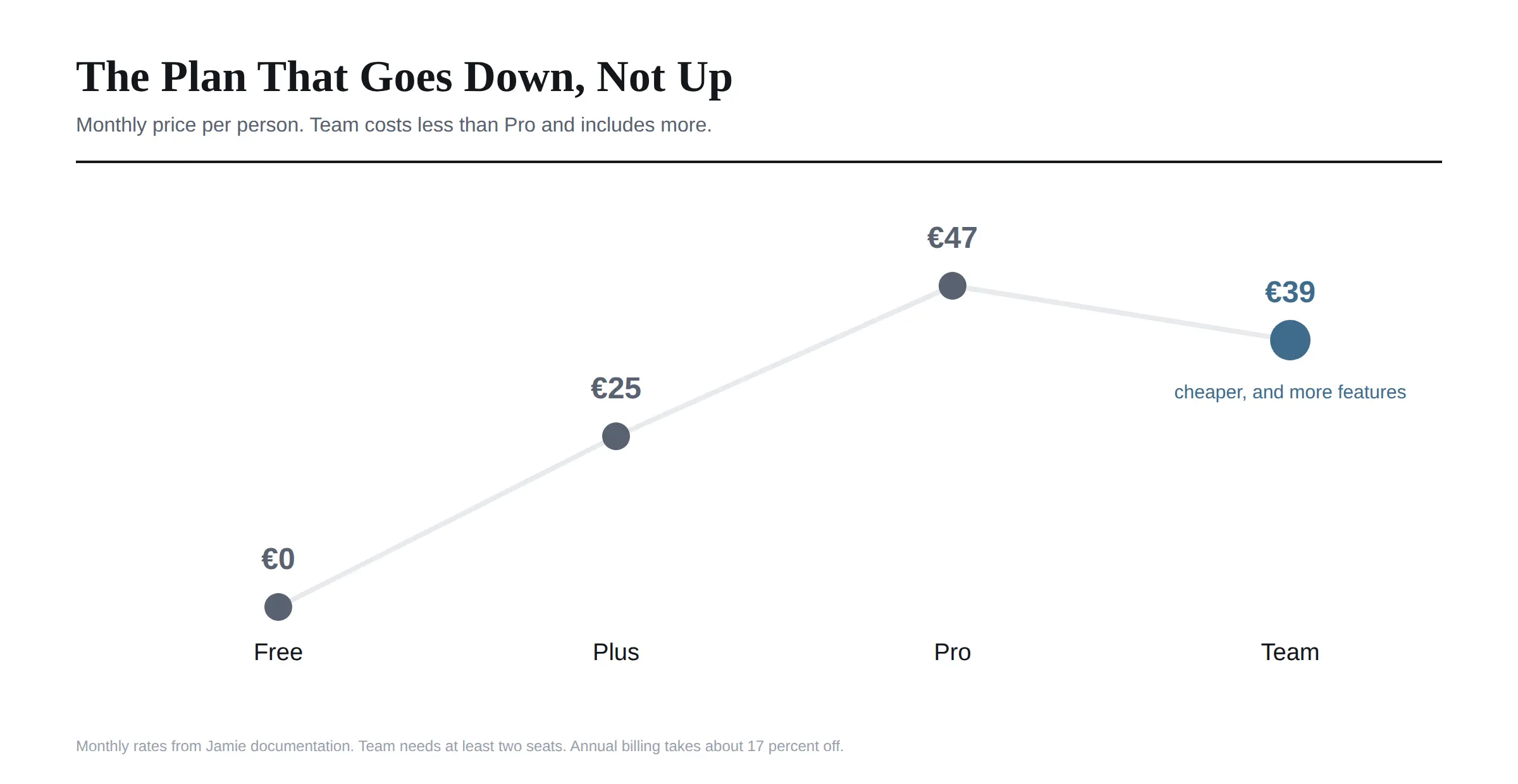 Team requires at least two seats, so a solo user cannot take advantage. But if there are two of you, buying Team costs 78 euros a month against 94 for two Pro licences, and you gain the collaboration features.
I have not seen a single review point this out. If you are a pair of consultants or a two person agency currently looking at Pro, that is 192 euros a year saved for a better product.
Where the Numbers Still Disagree
Three conflicts I could not fully resolve, and I would rather flag them than pretend.
Meeting length on Pro. The pricing page says five hours. Jamie's own documentation says three. The documentation looks older, so I would trust the pricing page, but verify if long sessions matter to you.
The free plan size. Currently ten meetings a month at 30 minutes each. Jamie's changelog shows it launched at five, so it has doubled, and it could change again.
Integrations, as covered above. Three sources, three different answers.
Privacy: What Is Verified and What Is Not
Jamie leans heavily on privacy, so it deserves examination rather than acceptance.
Verified. Jamie is ISO 27001 certified and publishes a trust centre at trust.meetjamie.ai, which is more than most tools this size offer. Data is hosted and processed in Germany, audio is deleted once the transcript exists, everything is encrypted, and Jamie states it does not train models on your meetings. The company is based in Berlin and founded in 2022.
Not verified. I could not find a SOC 2 Type II report, and a competitor states directly that Jamie lacks one. ISO 27001 and SOC 2 are different things, and some procurement processes ask specifically for the second.
That gap will not matter to most buyers. It will matter enormously to a few, particularly anyone selling into US enterprises where SOC 2 is the default question.
One more privacy point in Jamie's favour that is easy to miss. Because the audio is deleted, the worst case breach exposes text rather than recordings of your clients speaking. That is a meaningfully smaller problem.
Who Jamie Beats, and Who Beats Jamie
Being honest about both directions.
Jamie wins if you take notes in person as well as online, if a visible bot would embarrass you in front of clients, if you need EU data residency, or if you want cross meeting search included rather than upsold.
Otter and Fireflies win on price at the low end and on integrations, with far deeper CRM and workflow connections.
Tools with playback win if you ever need to hear the original audio, since Jamie deletes it by design.
SOC 2 certified competitors win on procurement questionnaires, which is a real commercial consideration rather than a technical one.
Cheaper EU alternatives exist, with at least one comparable German tool starting around 8 euros a month, so Jamie is not the budget choice among privacy-focused options.
Worth knowing that the most detailed Jamie alternatives articles I found are published by competitors who rank themselves first in their own lists, so read those with that in mind.
Frequently Asked Questions
What is Jamie AI?
A German AI meeting assistant that records, transcribes and summarises meetings without joining the call as a bot. It runs as a desktop app on macOS, Windows or iOS and works for both online and in person meetings.
How does Jamie work without a bot?
It captures audio directly from your own device rather than joining the meeting as a participant. That is why it works on any platform and also in a physical room.
How much does Jamie AI cost?
Free for 10 meetings a month. Plus is 25 euros monthly or 21 annually, Pro is 47 or 39, and Team is 39 or 33 per seat with a two seat minimum. Enterprise is quoted.
Is Jamie AI free?
There is a genuine free plan with 10 meetings a month, a 30 minute limit per meeting, speaker recognition, task detection, in person meetings and Ask Jamie all included.
Which Jamie plan is cheapest for two people?
Team, and by a clear margin. At 39 euros per seat monthly it costs less per person than Pro at 47, and it adds shared workspaces and admin controls.
Is Jamie AI GDPR compliant?
Jamie is built in Germany, hosts and processes data in the EU, encrypts everything, deletes audio once the transcript exists and states it does not train on your meetings. It is also ISO 27001 certified.
Does Jamie have SOC 2 certification?
I could not find a SOC 2 Type II report, and a competitor states Jamie does not have one. It does hold ISO 27001 and publishes a trust centre.
Do I need consent to record meetings with Jamie?
Yes. Bot-free does not mean consent-free, and Jamie says so itself. It can email participants 24 hours in advance automatically, which I would switch on permanently.
Can Jamie record in person meetings?
Yes, on every plan including free. It captures audio from your device microphone, which is one of the clearest advantages over bot based competitors.
Does Jamie keep the recording?
No. The audio is deleted once the transcript is ready. That is good for privacy and it does mean there is no playback.
Would I Recommend It
For the specific job of taking notes without a bot in the room, yes, and there is not much competition for that job.
The free plan is generous enough to judge properly, with ten meetings, speaker recognition and in person support all included, so the evaluation costs you nothing but time.
If you are on your own and meeting constantly, Pro at 39 euros annually is a fair price for unlimited notes. If there are two or more of you, take Team instead and pocket the difference, because there is no version of this where paying 47 euros for fewer features makes sense.
The two things that would stop me are playback and certification. If you need to hear the audio again, or if your clients send you SOC 2 questionnaires, look elsewhere first.
Everything here was checked against Jamie's pricing page, its documentation and its help centre on 21 September 2026. Jamie has changed its plans before, including doubling the free tier, so confirm current rates before subscribing.