AI Text Cleaner: What It Removes, What It Cannot Fix, and the Watermark Myth
What it does, plainly: an AI text cleaner takes text you copied out of ChatGPT, Claude or Gemini and strips out the things that travelled with it. Invisible Unicode characters, non-breaking spaces, em dashes, curly quotes, leftover markdown symbols and stray emoji.
It does not rewrite anything. Your words stay exactly as they were. Only the characters change.
That distinction matters more than anything else on this page, because several of these tools imply they do something they do not, and one of the most widely repeated claims about why you need one turns out to be wrong.
I went through nine of them. Here is what is real.
Cleaning Is Not Humanizing, and the Difference Is Total
These two categories get mixed up constantly, so let me separate them once.
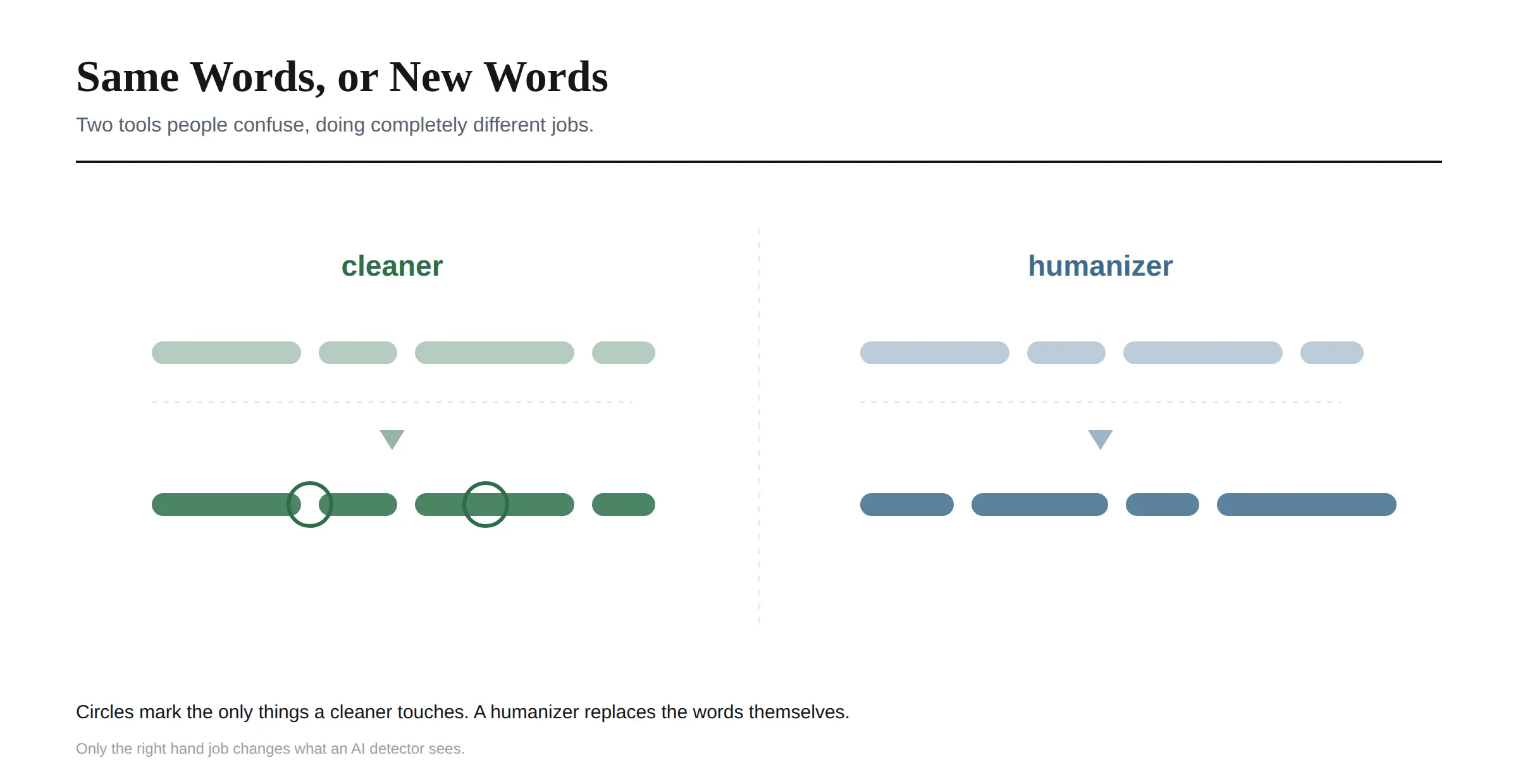 A cleaner changes characters. An em dash becomes a hyphen. A curly quote becomes a straight one. A zero-width space disappears. The sentence reads identically afterwards because the words never moved.
A humanizer changes words. It rewrites sentences to alter rhythm and structure, which is a different job with different risks, and I went through that category properly in our TwainGPT review.
One is a formatting utility. The other is a rewriting tool. Any page that treats them as interchangeable is confusing you, and at least one cleaner I looked at describes its output as making your content "undetectable", which is not something character cleaning can achieve. More on that below.
A Field Guide to What Is Actually in Your Text
Here is what I found these tools looking for, what causes each one, and whether it matters.
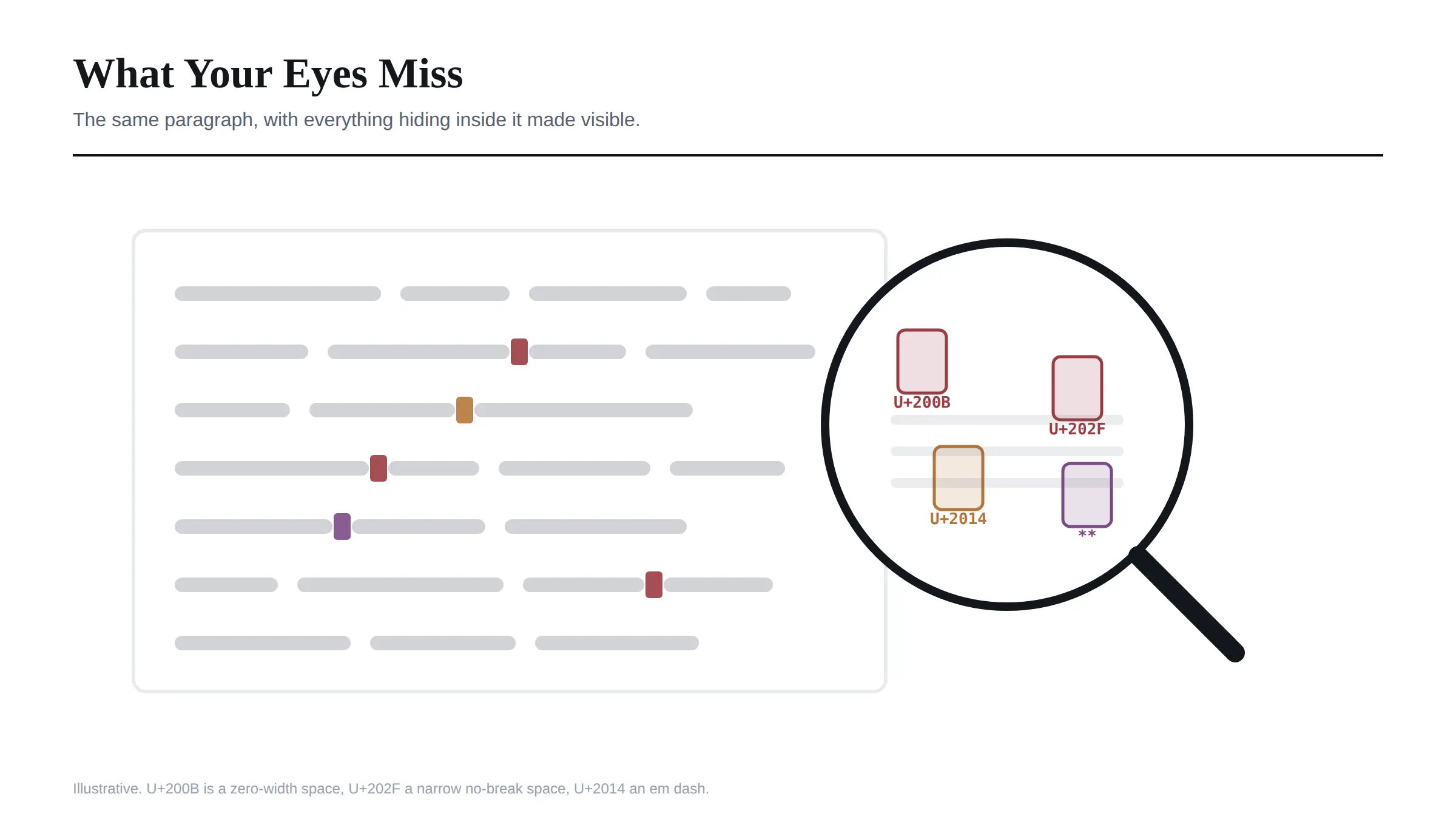 Em dashes and en dashes. The long dash at U+2014 is the most recognisable tell in AI writing. It is not invisible and it breaks nothing, but plenty of people strip it because it reads as machine-written. Most cleaners let you swap it for a hyphen, a comma, or nothing.
Smart quotes. Curly quotation marks and apostrophes, which look fine in a document and break things in code, CSV files and some search fields.
Zero-width characters. The zero-width space at U+200B, the zero-width joiner and non-joiner, and the byte order mark. Completely invisible, and the most likely culprit when text behaves strangely for no visible reason.
Non-breaking spaces. The ordinary one at U+00A0 and, more commonly in AI output, the narrow no-break space at U+202F. They look exactly like a normal space and are not one.
Markdown leftovers. Double asterisks, hash symbols, backticks and bullet markers that render properly in a chat window and then sit there as literal symbols when you paste them into an email or a CMS.
Ellipsis characters. A single character at U+2026 rather than three full stops.
Citation markers. Bracketed reference numbers that some assistants leave behind after a web search.
Lookalike characters. Cyrillic and Greek letters that look identical to Latin ones. These are rare in normal output and worth knowing about, because they defeat search and replace completely.
What Genuinely Breaks Without a Clean
This is the real argument for using one of these tools, and I would say it has nothing to do with detection.
Invisible characters break JSON and CSV files. Paste AI-generated data into a file with a zero-width space in it and the parser fails with an error that points nowhere useful.
They break search and replace. You look for a word, the editor says it does not exist, and it is sitting right there in front of you with an invisible character wedged inside it.
They break form validation. A hidden character in an email address or a product code fails a check for reasons no error message explains.
They break code. A non-breaking space where a normal space should be produces syntax errors that survive several rounds of staring at the line.
And markdown symbols make you look careless. Nothing says unedited AI output quite like double asterisks sitting in a published paragraph.
Those are practical bugs. That is the honest reason to clean text, and I think it is enough on its own.
There is a quieter version of the same problem worth mentioning. Invisible characters change a string's length and its byte count without changing what you see.
That matters if you are counting characters for a meta description, a social post, a database field with a hard limit, or an API that charges by token. A paragraph that looks like 155 characters can be several more, and the thing that rejects it will not tell you why.
I have also seen a non-breaking space stop a spreadsheet formula from matching two cells that appear identical on screen. Half an hour of checking the formula, when the fault was in the data.
The Watermark Question, Answered Properly
Several of these tools market themselves as AI watermark removers. The story is more interesting than either the marketing or the denials suggest.
What actually happened. In April 2025, researchers at Rumi found that newer ChatGPT models were inserting narrow no-break spaces into longer responses. The characters are real, they survive copy and paste, and you can see them in an editor that displays hidden characters.
What OpenAI said. Not a watermark. The company described it as a quirk of large-scale training rather than a deliberate marker.
Where it stands now. As of 2026, OpenAI has never shipped a text watermarking system. Its provenance documentation covers images, using C2PA content credentials and SynthID, and audio, using SynthID. Text is absent from that list. Reporting suggests OpenAI built an effective text watermarking system internally and chose not to deploy it.
The likely explanation. Forensic analysis points at training artifacts. These models learned from academic papers and professional publishing, which use narrow spaces and unusual punctuation legitimately, so the model reproduces them as a style.
So the characters are genuine and the watermark framing is wrong. Nobody is tracking you through a zero-width space. Your text simply picked up typography from the material the model learned to imitate.
I would still remove them, for all the practical reasons above. I would just be sceptical of any tool selling that removal as escaping surveillance.
No, Cleaning Does Not Beat AI Detectors
This is the claim I would most like to correct, because I have seen it stated outright on more than one of these sites.
AI detectors work on word patterns. Sentence length variation, vocabulary predictability, how evenly the text flows. Those are properties of the writing, not of the characters encoding it.
Strip every zero-width space and every em dash out of a paragraph and the words are unchanged, so the detector sees exactly what it saw before.
One of the more careful pages in this category admits as much in its own comparison table, noting that stylometric signatures can only be removed by rewriting. That is correct, and it is the opposite of what the marketing on neighbouring sites implies.
If your goal is a detection score, a cleaner is the wrong tool and you should read about humanizers instead, along with the honest caveats about what those achieve. If your goal is text that pastes properly, a cleaner is exactly right.
The Characters You Should Not Strip
Nobody writes this section, and it is the one that can cost you.
Zero-width joiners inside emoji. Modern emoji are built by joining several characters with a zero-width joiner. Strip those and a family emoji collapses into three separate people. A blanket invisible character removal will do this.
Arabic and Indic joiners. Zero-width non-joiners are grammatically necessary in Persian, Arabic and several Indic scripts. Removing them does not tidy the text, it misspells it.
Real Cyrillic and Greek text. Lookalike conversion is useful against disguised Latin text, and destructive if the passage is genuinely in Russian or Greek.
Legitimate non-breaking spaces. In typeset material, a non-breaking space between a number and its unit is deliberate. Stripping it lets "10 kg" break across two lines.
Markdown you actually want. If your destination renders markdown, such as a documentation site or a GitHub issue, stripping it destroys the formatting rather than fixing it. This is the same problem I ran into writing about how OpenClaw channels render messages, where the same text has to look different depending on where it lands.
Good tools guard against the first three automatically. Most do not say whether they do. That alone is a reasonable way to choose between them.
How to Pick an AI Text Cleaner
The field is crowded and the tools are more similar than their marketing suggests. I would judge on four things.
Does it run in your browser? Almost all of them claim local processing with nothing uploaded. That claim is worth verifying if the text is confidential, and the honest test is to disconnect from the internet and see whether the tool still works. If it does, the processing really is local.
Can you toggle each rule? The better tools separate every transform, so you can strip invisible characters while keeping your em dashes, or the reverse. Blanket cleaning is where the damage happens.
Does it show you what it found? A couple of these list every finding with its code point and position before changing anything. That is genuinely more useful than a clean block of text and no explanation, particularly when you are trying to work out why a file keeps failing.
Does it protect emoji and non-Latin scripts? If the page says nothing about it, assume it does not.
None of these tools need an account, none of them should cost money, and switching between them costs you nothing. If one mangles your text, use a different one.
Frequently Asked Questions
What is an AI text cleaner?
A free browser tool that removes invisible Unicode characters, non-breaking spaces, em dashes, smart quotes and markdown symbols from text copied out of ChatGPT, Claude, Gemini or any other assistant. It changes characters, not words.
Is there a free AI text cleaner?
Almost all of them are free with no signup. I found nine, and none charged anything for the basic cleaning function.
How do I remove em dashes from ChatGPT text?
Paste the text into any of these tools and choose what the em dash becomes, usually a hyphen, a comma or nothing. Most let you handle en dashes at the same time.
What are the invisible characters in AI text?
Mostly zero-width spaces at U+200B, byte order marks, and narrow no-break spaces at U+202F. They render as nothing or as an ordinary space, which is why they are so hard to find by eye.
Does ChatGPT watermark its output?
No. OpenAI has never deployed text watermarking, and its provenance documentation covers only images and audio. The invisible characters people find are most likely training artifacts, and OpenAI has described them as a quirk of training rather than a marker.
Does cleaning AI text fool AI detectors?
No. Detectors analyse word patterns and sentence structure, neither of which changes when you swap a dash or delete a zero-width space. Only rewriting affects a detection score.
Is an AI text cleaner the same as an AI humanizer?
No. A cleaner changes characters and leaves your words alone. A humanizer rewrites the words themselves. They solve completely different problems.
Are AI text cleaners safe to use?
Most process everything in your browser with no upload, which makes them safe for confidential text. Verify that claim by testing the tool offline before pasting anything sensitive.
Why does ChatGPT text break formatting when I paste it?
Because it carries characters your destination does not expect. Non-breaking spaces, zero-width characters and markdown symbols all look fine in the chat window and behave differently in Word, a CMS or a code editor.
Can an AI text cleaner damage my text?
Yes, if it strips indiscriminately. Removing all zero-width characters breaks compound emoji and misspells Arabic and Indic text, and converting all lookalike characters corrupts genuine Cyrillic or Greek writing.
My Own Routine
Keep one of these bookmarked and run everything through it before publishing. It takes four seconds and it prevents a class of bug that is genuinely hard to diagnose once it reaches production.
Turn off the rules you do not need. If you are pasting into a markdown-aware destination, leave the markdown alone. If you are working in Arabic, leave the joiners alone.
And be clear with yourself about why you are doing it. Cleaning makes your text portable and tidy. It does not make it undetectable, it does not remove a watermark, and any tool promising either of those is selling you a story about a problem that does not work the way it claims.
I checked these tools, OpenAI's provenance guidance and the original 2025 research on 21 September 2026. This is a fast moving corner of the web where new tools appear weekly, so check current behaviour before trusting any single one with sensitive text.